The Edge in 30 Seconds
The Shift
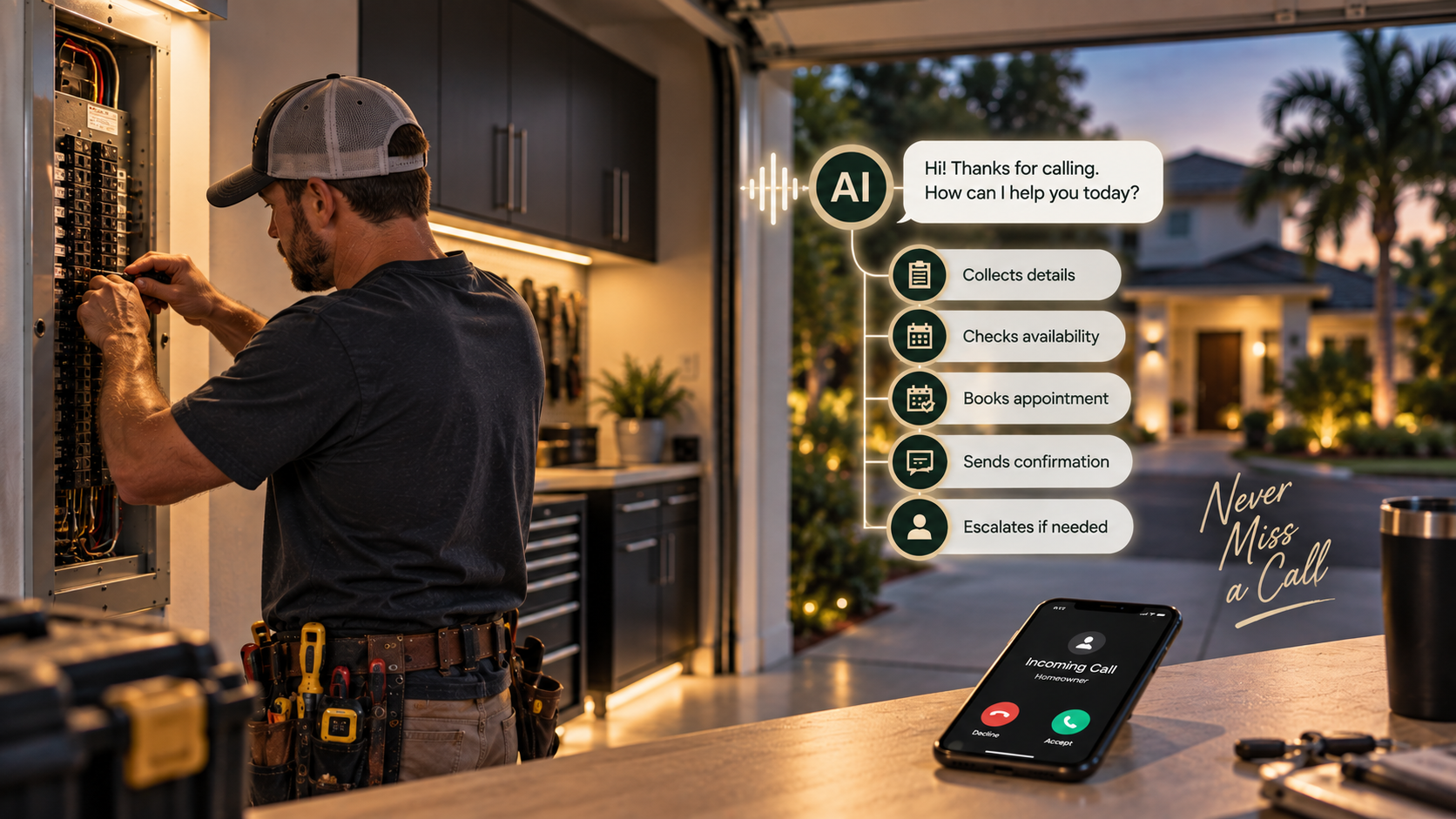
AI agents are moving from answering questions to carrying out multi-step business tasks — booking appointments, updating CRM records, following up on estimates, and completing approved workflows across your software tools.
The Risk / Opportunity
When AI can act on your behalf, the cost of a mistake goes up. An AI that sends the wrong pricing, books an impossible appointment, or follows up with the wrong customer can create real business damage — faster than a human ever could.
The Move
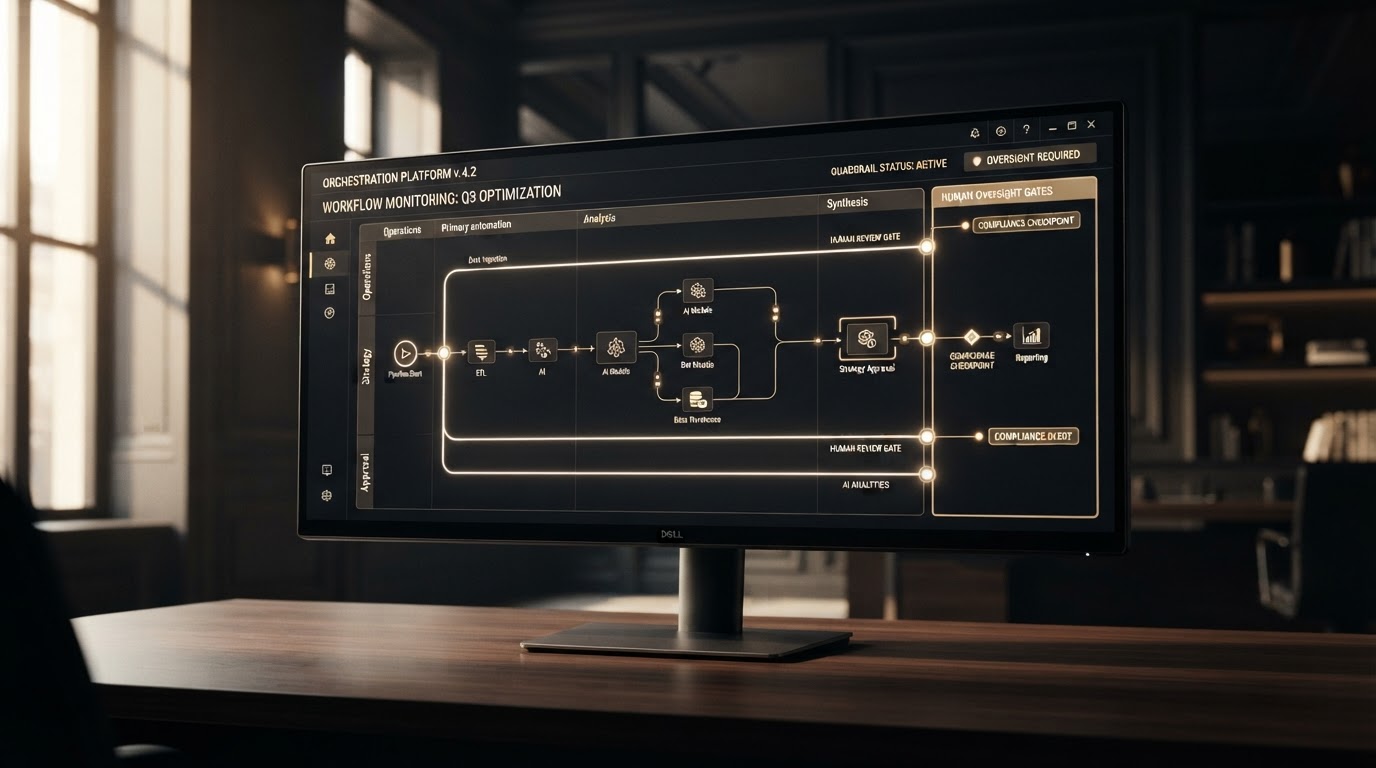
Build guardrails before you build automations. Define what AI is allowed to do on its own, what requires human approval, and exactly where the handoff happens. Automate the repetition. Protect the judgment.
Contents
What Changed With AI Agents
AI agents in 2026 are no longer just answering questions. They are performing work. A modern AI agent can carry out a sequence of actions across your business tools: read an incoming message, identify what the customer needs, check your availability, send a reply, create a CRM record, schedule a reminder, and trigger a follow-up sequence — all without a human touching each step.
For a service business, that is a fundamental shift. Previous generations of automation required a human to set up a trigger, a human to define every rule, and a human to handle any exception. An AI agent can interpret context, adapt its response to the specific situation, and execute a multi-step workflow on its own.
But that same capability creates a new category of risk. When an AI agent can act on your calendar, your CRM, and your customer communications without supervision, a mistake is no longer a missed email. It is an appointment booked at the wrong time, a quote sent with the wrong pricing, a follow-up sent to the wrong customer, or a promise made that your team cannot keep. The agent does not get tired, distracted, or overwhelmed — which means it can make the same mistake dozens of times in an hour before anyone notices.
That is why the conversation around AI agents is shifting from what can it do? to what should it be allowed to do on its own?
The Data Behind the Shift
Multi-step autonomy
AI agents in 2026 can do something previous generations of automation could not: they can take action across multiple tools in a single workflow. A modern AI agent can read an incoming lead, check the calendar, update the CRM, send a confirmation, and schedule a follow-up reminder — all without a human clicking through each step.
That capability is a genuine breakthrough for small businesses that cannot afford to hire someone to manage every touchpoint manually. But it also means the distance between a correct automated action and a costly one has shrunk to near zero. The guardrails you put in place are the difference between AI creating capacity and AI creating chaos.
Source: Visionary Edge Ventures analysis of 2026 AI agent capabilities
Why Guardrails Matter for Small Businesses
For a small or service-based business, the appeal of AI agents is obvious. You cannot afford a receptionist, a scheduler, a CRM administrator, and a follow-up coordinator. But you need all of those functions performed every single day. An AI agent that can handle them automatically is not a luxury. It is how you compete with businesses that have larger teams.
But here is the tension: the same autonomy that makes an AI agent valuable is what makes it dangerous. A tool that only follows rigid rules cannot adapt to the nuance of a real customer interaction. A tool that adapts freely can also go off the rails in ways that are hard to predict.
Consider what happens when a homeowner calls an electrician and says, "My breaker keeps tripping, I can smell something burning near the panel." An AI agent without guardrails might try to book a standard appointment for next Thursday. An AI agent with guardrails should recognize the safety signal, flag it as urgent, escalate immediately to a human, and provide the caller with appropriate emergency guidance — not put it in the same queue as a routine panel upgrade quote.
The guardrail is not a limitation on the AI. It is the boundary that makes the AI safe to deploy in a real business.
The Guardrail Framework for Service Businesses
The framework that smart businesses are building is not complicated. It has three layers:
1. Autonomy — What is the AI allowed to do entirely on its own, with no human review?
2. Guardrail approval — What can the AI prepare, but a human must approve before it goes out?
3. Human escalation — What must the AI hand to a person immediately, without attempting to handle it?
Every business process you automate should pass through this three-layer filter. The goal is not to minimize AI autonomy — that defeats the purpose. The goal is to match autonomy to risk. Low-risk, high-repetition tasks get full autonomy. Medium-risk tasks get guardrail approval. High-stakes or judgment-heavy tasks get human escalation.
The Guardrail Framework
01
Autonomy
AI acts on its own. Low-risk, high-repetition tasks that follow clear rules.
02
Guardrail Approval
AI prepares it. A human approves before it is sent or executed.
03
Human Escalation
AI hands it to a person immediately. No attempt to handle it alone.
Match autonomy to risk. The guardrail is not a limitation. It is what makes the AI safe to deploy.
What AI Should Handle Automatically
Full autonomy makes sense for tasks that are high-frequency, low-risk, and follow clear rules. These are the tasks where an AI agent creates genuine capacity without creating meaningful exposure.
Lead capture and acknowledgment. When a call comes in or a form is submitted, the AI can log it, send an immediate acknowledgment, and create a CRM record. The risk of a mistake here is low, and the cost of delay is high — this is exactly where autonomy shines.
Appointment confirmations and reminders. Sending a text reminder 24 hours before an appointment is not a task that requires human judgment. The AI can send it automatically, and the reduction in no-shows is immediate.
Basic FAQ responses. If a customer asks about your service areas, your hours, or what types of work you handle, the AI can answer from your approved knowledge base without escalating every question.
Routine CRM updates. Updating a contact record, logging a call, or adding a note to an existing pipeline entry does not require human approval. Let the AI keep your system current in the background.
The common thread: these tasks have a correct answer, a clear rule, and a low cost of error. If the AI gets one wrong, the downside is a minor inconvenience — not a broken customer relationship.
What Should Stay Human
Some tasks should never be fully automated, no matter how capable the AI becomes. These are the tasks where the cost of a mistake is high, the situation requires real judgment, or the human relationship is the actual product.
Pricing commitments. The AI can prepare a quote, but a human should approve it before it goes out. A quote with the wrong price — too low or too high — can cost you a job or cost you margin you cannot afford to lose.
Safety-sensitive situations. For electrical contractors, HVAC companies, plumbers, and any trade where a customer's safety may be at stake, the AI should escalate immediately. An AI that tries to book a routine appointment when a customer is describing a potential hazard is not saving you time. It is creating liability.
Complaint resolution. When a customer is upset, the AI should capture the details and hand the conversation to a human. An automated response to a frustrated customer can make a difficult situation dramatically worse.
Complex or unusual scope. If a request falls outside your standard service parameters, the AI should flag it rather than guessing. A contractor who takes on a job they are not equipped for because the AI booked it automatically has created a much bigger problem than a missed lead.
High-value sales conversations. The moment a lead is ready to talk about a significant project, a human should be in the conversation. AI can qualify and route. It should not be closing a five-figure contract on its own.
Autonomy vs. Human Judgment
AI handles automatically
- + Lead capture and acknowledgment
- + Appointment confirmations
- + Reminders and routine follow-ups
- + Approved FAQ responses
- + CRM record updates
- + Internal notifications
Stays human
- ! Pricing commitments
- ! Safety-sensitive calls
- ! Complaint resolution
- ! Complex or unusual scope
- ! High-value sales conversations
- ! Anything requiring professional judgment
Automate the repetition. Protect the relationship.
Where does your business need guardrails?
The Visionary Edge Growth Audit examines your lead response, follow-up, booking, CRM, automation, and customer journey to identify where AI could create capacity — and where it needs boundaries before it goes live.
Start Your Free Growth AuditThe Visionary Edge Take
The businesses that benefit from AI agents are not the ones that automate the most. They are the ones that draw the clearest lines between what AI can do on its own and what requires a human.
A guardrail is not a sign that you do not trust the technology. It is a sign that you understand your business well enough to know where the stakes are. An electrician who lets the AI book a routine panel upgrade but escalates a call about burning smells is not limiting the AI. They are deploying it correctly.
The same principle applies to every service business. The AI agent should handle the repetitive work that consumes your day and hand off the conversations where your expertise is the actual product. When you get that boundary right, the AI does not replace you. It gives you back the hours you need to do the work that only you can do.
The best guardrail is not a restriction on AI. It is a clear definition of where your business's judgment begins.
— Shannon Martel, Visionary Edge Ventures
Five Guardrails to Build Now
Map your highest-risk interactions
Before you automate anything, list the customer interactions where a mistake would genuinely cost you — safety-sensitive calls, pricing commitments, high-value conversations, complaint resolution. These are your human-escalation triggers. Everything starts here.
Define your autonomy boundaries
For every process you plan to automate, write down which of the three layers it belongs to: full autonomy, guardrail approval, or human escalation. Be specific. Send appointment reminders automatically is autonomy. Prepare quotes for human approval is guardrail approval. Escalate any safety-related call immediately is human escalation.
Set up escalation triggers
Configure your AI system to recognize the signals that require a human. Keywords related to safety, keywords related to complaints, pricing questions outside standard ranges, requests outside your service area, and any situation the AI cannot confidently interpret. The trigger should be automatic — the AI should escalate on its own, not wait for the customer to ask for a human.
Test with real scenarios before going live
Run five to ten real customer scenarios through the system before letting the AI act on its own. Did it escalate the safety call? Did it send the correct reminder? Did it hand the complaint to a human? Fix the boundary before it breaks in front of a real customer.
Review AI actions weekly for the first month
For the first 30 days, review what the AI did each week. Did it stay within its boundaries? Did it escalate correctly? Did it send anything it should not have? Adjust the guardrails based on what you observe, not what you assumed. The first month of real-world behavior tells you more than any planning session.
What We're Watching
AI agent capabilities are still expanding rapidly, and the guardrails that work today may need adjustment as the technology evolves. Watch for these developments:
Deeper CRM and scheduling integration. As AI agents gain more native access to business software, the range of tasks they can execute autonomously will grow — and so will the need for precise boundaries.
Regulatory and disclosure requirements. Expect growing regulation around AI disclosure, consent, and data handling. Businesses that build guardrails now will be better positioned to adapt when compliance requirements arrive.
Improved human-AI handoff. The quality of the handoff — how smoothly the AI passes a conversation to a human, with full context — is still uneven across platforms. This is where the real customer experience is won or lost.
Industry-specific safety logic. For trades and service businesses, expect to see AI platforms build in more industry-specific escalation logic — particularly around electrical, HVAC, plumbing, and other safety-sensitive work. The businesses that define their own safety rules early will be ahead of the defaults.
The next competitive advantage in AI automation will not come from having the most autonomous AI. It will come from having the clearest, most reliable boundaries between what the AI does and what you do.
Related Visionary Edge Resources
Sources & Further Reading
Automation without guardrails is just speed without direction.
The businesses that win with AI agents are not the ones that automate the most. They are the ones that draw the clearest lines between what AI handles and what requires a human. The Free Growth Audit maps your customer journey and shows you exactly where those lines should be.
Start Your Free Growth Audit