The Edge in 30 Seconds
The Shift
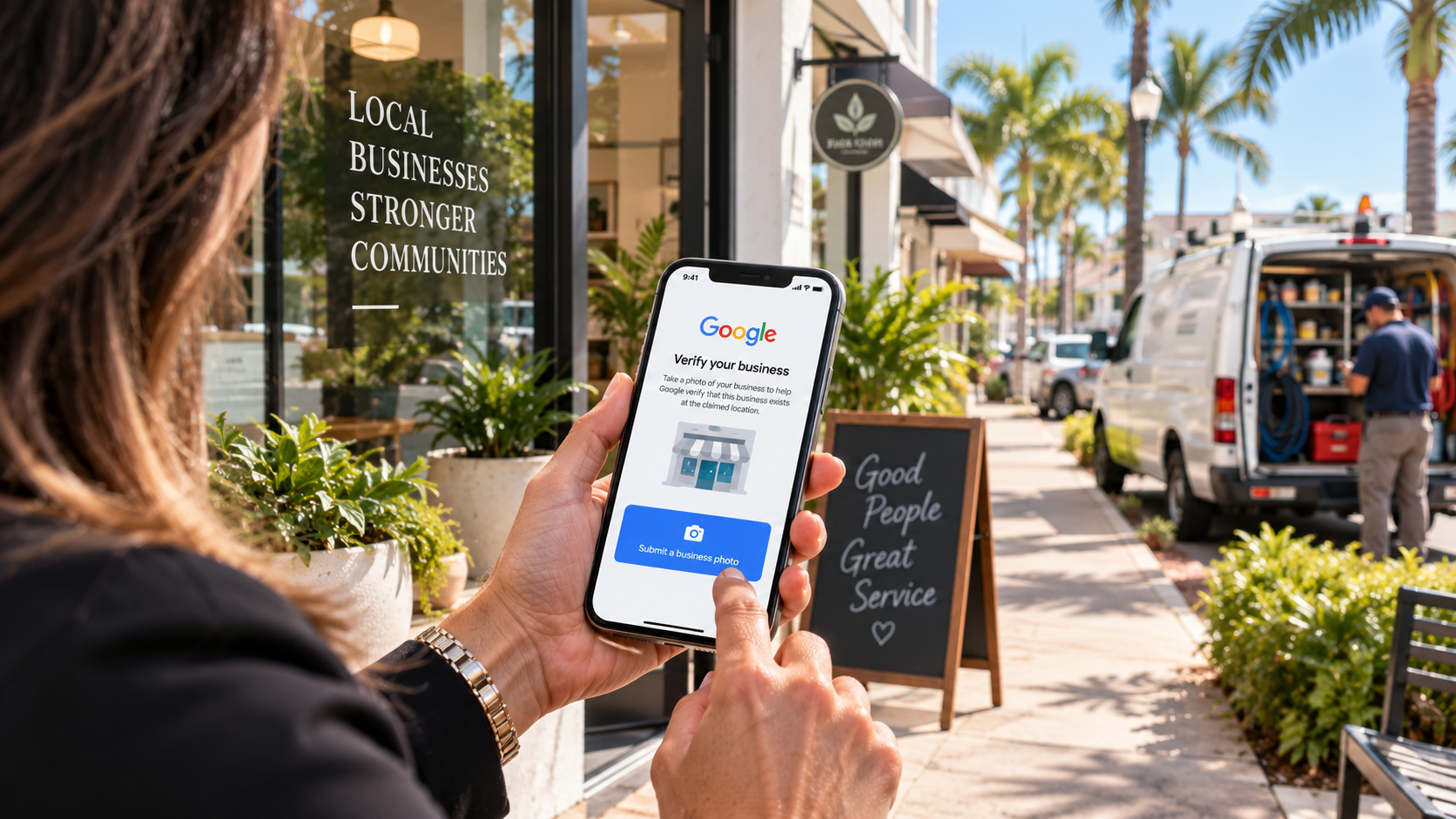
A new "Submit a business photo" option has been spotted on some Google Business Profiles, suggesting Google may be testing another way for businesses to complete verification.
The Risk / Opportunity
Verification affects far more than contractors. HVAC companies, plumbers, roofers, landscapers, cleaning companies, med spas, salons, professional offices and other eligible local businesses all need an accurate Google presence they can legitimately control.
The Move
Don't alter a healthy verified profile simply because a new test has appeared. Instead, make sure the real-world business behind your digital profile is accurate and easy to substantiate if Google asks you to verify or re-verify it.
Contents
What Google Appears to Be Testing
A tiny new option inside Google Business Profile could signal a bigger change in how Google verifies local businesses.
On September 4, Search Engine Roundtable reported that a new verification option labeled "Submit a business photo" had begun appearing for some Google Business Profiles.
That does not mean Google has rolled out photo verification to every business. As of preparation of this article, Google's official verification documentation does not list this reported business-photo option as one of its standard documented verification methods.
Google currently explains that available verification methods are automatically determined and may depend on factors including business type, public information, region and operating hours. In some cases, more than one verification method may be required.
That makes the most accurate interpretation: Google appears to be testing another way certain businesses may be able to demonstrate that they are legitimate.
But the more interesting business question is: why does Google keep asking local businesses to prove they're real?
Why Verification Matters to Local Businesses
Google Business Profile can connect customers with a phone number, website, hours, directions where applicable, reviews, photos, services and other business information. Verification helps establish that the person managing the Business Profile legitimately represents the business.
It would be a mistake to claim that verification itself directly improves Google rankings. What is accurate is this: legitimate control of the profile is foundational to properly managing a business's presence on Google. If you cannot verify the profile, you cannot reliably manage the information customers see, respond to reviews, post updates, or correct inaccuracies.
In other words, verification is not a ranking tactic. It is the gate that determines whether you can manage your own presence at all.
What Google Is Really Trying to Establish
So what is Google really trying to establish when it asks a business to verify? Visionary Edge Ventures frames it as three things working together:
Location
Is the business connected to the location or service area it claims?
Business
Does a real business of this type actually operate?
Control
Does the person attempting verification legitimately manage or represent it?
"Location + Business + Control" is a Visionary Edge Ventures explanatory framework derived from Google's verification requirements. It is not Google's official terminology or an official three-factor system.
Every verification method Google offers, whether by mail, phone, email, video, or any newly tested photo option, is ultimately trying to answer those same three questions in some form. The method changes; the intent does not.
That reframing is useful, because it tells a business exactly what to prepare. You are not preparing for a specific verification button. You are preparing evidence that your business is real, where you say it is, and that you are the one running it.
The Verification-Ready Local Business
Location
- Appropriate location identifiers
- Accurate operating information
- Legitimate service-area configuration
- Real storefront where applicable
Business
- Appropriate workspace
- Professional tools/equipment where applicable
- Legitimate signage where applicable
- Business materials
- Evidence of actual operations
Control
- Access to appropriate business assets
- Legitimate business documentation
- Business permit where applicable
- Invoice or utility documentation where appropriate
- Other evidence requested by Google
Don't manufacture evidence. Document the real business you already operate.
Do not upload documents Google has not requested.
Storefront, Service-Area or Hybrid?
One distinction matters more than most business owners realize: whether your business should be configured as a storefront, a service-area business, or a hybrid.
Storefront
Examples
Med spa, salon, dental practice, professional office, customer-facing service location.
Customers visit the staffed business location during stated hours.
Service-Area Business
Examples
HVAC, plumbing, electrical, roofing, cleaning, landscaping, mobile services.
The business travels to customers rather than serving customers at its address.
Hybrid
Description
The business legitimately serves customers at a staffed location and also travels to customers.
Examples are illustrative. Do not imply every business in a category is automatically configured the same way.
A service-area business may operate from a home office, warehouse, shop or non-customer-facing office. That does not make the business less legitimate. But it should not represent a private, non-customer-facing address as a storefront simply to appear differently on Google.
Contrast that with businesses where customers genuinely visit the location, such as an appropriately staffed salon, med spa or professional office. Google's verification evidence can differ depending on the business model, and configuring your profile to match your actual operation is part of being verification-ready.
What Not to Do
Do not
- —Edit a healthy verified profile just to test a new verification method.
- —Create fake signage.
- —Pretend a private or home address is a customer-facing storefront.
- —Keyword-stuff the business name.
- —Manufacture evidence.
- —Upload sensitive documents unnecessarily.
- —Expose bank, tax or identification numbers unnecessarily.
- —Assume you can choose whichever verification method you prefer.
- —Assume the newly reported photo option is available to everyone.
Can Google — and your customers — clearly understand your business?
The Visionary Edge Growth Audit looks beyond a single profile. It examines your website, local visibility, lead capture, follow-up, CRM, automation and reputation system to identify gaps that may be costing you opportunities.
Get Your Free Growth AuditThe Visionary Edge Take
The interesting part of this story isn't really the photo. It's what the verification process represents.
Google isn't asking businesses to look more legitimate online. It is trying to determine whether the online entity corresponds to a legitimate business operating in the real world. That distinction matters.
A legitimate local business already creates evidence of its existence every day: customers, appointments, employees or contractors, tools and equipment, real services, a real workspace, a storefront where applicable, real service areas, a website, reviews, business documentation, a reputation.
The goal shouldn't be to manufacture credibility for Google. It should be to make sure the credibility the business already possesses is accurately represented online.
Local visibility starts with being easy to find. Local trust starts with being easy to verify.
— Shannon Martel, Visionary Edge Ventures
The Verification-Ready Local Business Checklist
Make sure your profile reflects reality
Business name, category, location or service area, website, hours and other core information should accurately represent the real business. A profile that already matches reality is far easier to verify or re-verify than one built to appear as something it isn't.
Know your business type
Understand whether the business should legitimately be configured as storefront, service-area or hybrid. The right configuration determines what kind of evidence Google is likely to accept.
Keep real-world business evidence organized
Depending on the method Google offers, legitimate evidence might involve workspace, tools, equipment, signage, vehicles or business documentation. Keep non-sensitive records organized so you can respond quickly if Google asks you to verify or re-verify.
Make sure your website represents the same real business
Clearly communicate business identity, services, market or service area, and legitimate contact information. Do not claim exact NAP consistency is a documented Google ranking factor unless supported by an appropriate source. The point is coherence: your website and your profile should describe the same real business.
Prepare before a verification problem occurs
Maintain an internal verification-readiness folder or checklist containing non-sensitive legitimate business information. Never upload documents Google has not requested. The businesses that recover fastest from a verification issue are the ones who already had their evidence in order.
What We're Watching
Watch whether Google formally documents business-photo verification, which business categories receive it, and whether storefront, service-area and hybrid businesses are treated differently. Pay attention to exactly what photographic evidence Google requests, whether the option supplements or replaces another method, and whether multiple verification steps are required.
Editor's note: The Edge Brief will update this article if Google formally documents or materially expands the new verification option.
Related Visionary Edge Resources
Sources & Further Reading
Being good at what you do isn't enough if the right customers can't find — or trust — you online.
Visionary Edge Ventures helps contractors and service-based businesses connect their website, local visibility, CRM, follow-up, reputation and automation into one growth system.
Get Your Free Growth Audit